
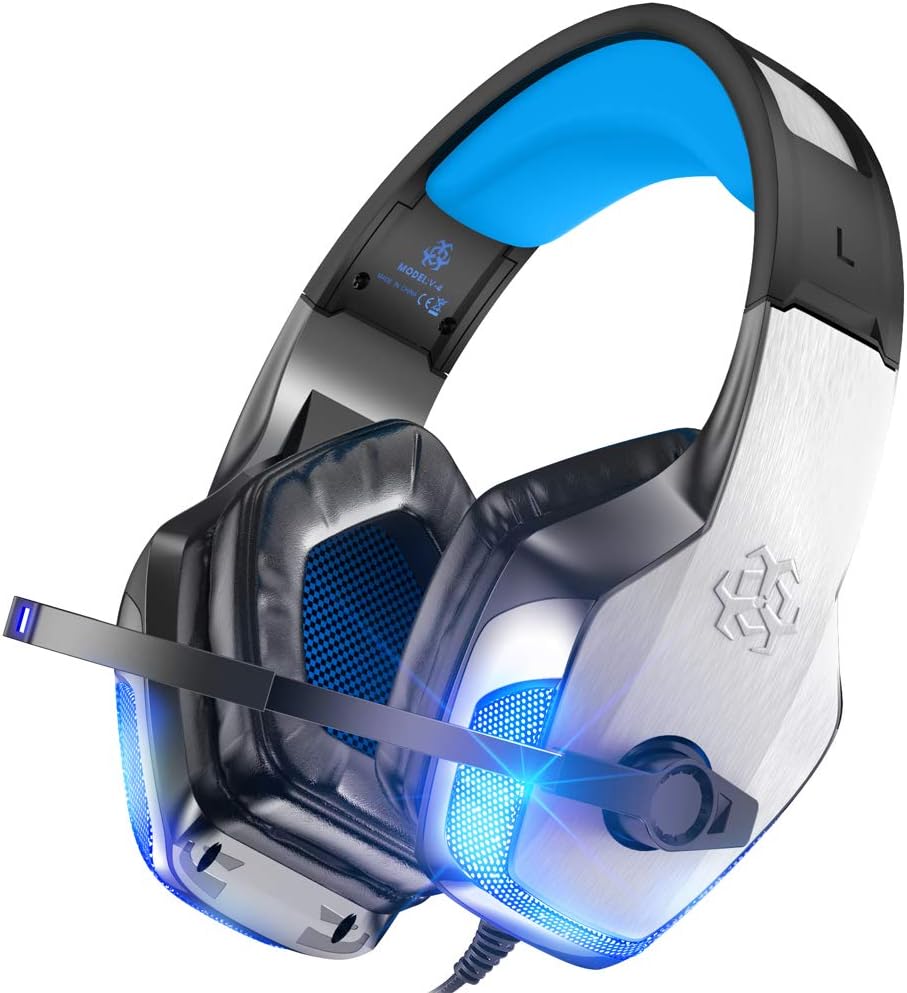


Description
Product parameters:Speaker Size: 50mmSensitivity: 115+/-3dbImpedance: 20Ω +/-15%Cable Length: 2.1M+/-0.15Microphone Impedance: 2.2kΩFrequency Range: 20Hz-20 KHzMicrophone Sensitivity: -38+/-3dBWorking Current: ♦Headset Jack: USB+3.5mm 4Pin
Troubleshooting Methods:【Question:How to use it on PS4?】1. Please test it with your cellphone before apply the headset on your PS4, to make sure it works well.2. Insert the headset with 3.5mm jack plug into the Gamepad .3. Then long press the PS4 button to enter the System Settings.4. There is a choice “PERIPHERAL MACHINES”, choose it and then choose “ADJUST SOUND AND DEVICES”, next choose “Output to the headphones”, then change it to “All audio”.
【Question: With sound but the voice chatting cannot work?】1 using the headset, please make sure the tone control microphone switch of headset is turned on, and make sure that the microphone works normally.2 headset plug is quadrupolar, single plug type with the function of audio/voice combination, and is application to single-hole audio device. Please make sure that if your device fits the audio/voice combination interface.3 headset plug is quadrupolar, single plug type, while your device may be of tripolar interface. 4 the bisected adapter cable of 3.5mm interface, you can use the 3.5mm dual plug (headphone and microphone jack) interface of the computer. You can enjoy beautiful music and voice chatting at the same time.
Notes:1a Microsoft adapter (Not Included) is needed when connect with old version Xbox One controller.2.1-to-2 3.5mm jack splitter cable is needed when you connect with PC if you want to use headphone and microphone at the same time.
Package Lists:1 * User Manual1 * Gaming Headset1 * 1-to-2 3.5mm jack splitter cable